Paystub Basics
Partial Pay Periods and Prorated Earnings on a Paystub
How first, final and unpaid-leave pay periods are prorated for salaried and hourly employees, with three calculation methods compared side by side.
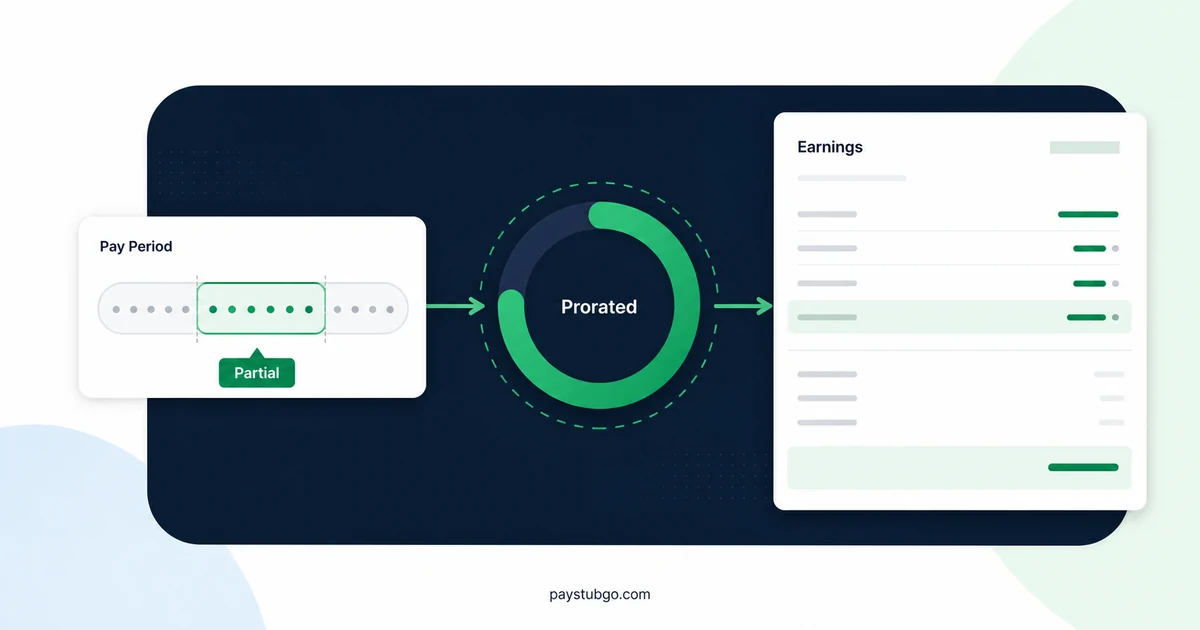
Table of Contents
What this guide covers
8 sectionsHide
Table of Contents
What this guide covers
Scroll inside this box to view all guide topics.
- Situations that create a partial pay period
- Hourly pay needs no proration
- Three common ways to prorate a salary
- Prorating a final paycheck
- Unpaid days in the middle of a period
- How proration shows up across the rest of the stub
- Checking a prorated amount yourself
- Entering a partial period on a stub you create
A partial pay period is one where an employee is paid for only part of the usual period, most often the first or last period of a job or one with unpaid leave. Hourly pay adjusts through hours worked. A salary is prorated, usually by workdays, calendar days or an hourly equivalent, and the stub shows the reduced amount.
The method matters because the three common ways of prorating a salary give different answers for the same days. Knowing which one an employer used is what lets you check a first or final paycheck. Our guide to how pay period lengths compare covers the regular periods that proration works from.
Situations that create a partial pay period
A period counts as partial whenever the employee is paid for less than the whole of it. The usual causes are:
- A start date after the period begins. A new hire who starts on a Wednesday of a period that began on Monday.
- A last day before the period ends. The final paycheck after a resignation or termination.
- Unpaid leave. Unpaid days in the middle of an otherwise normal period.
- A change of pay type. A move from hourly to salaried pay, or the reverse, partway through a period.
- A schedule change. A transition period when an employer switches from one pay frequency to another.
A raise that starts midway through a period is a related but different case. The employee is paid for the whole period, just at two rates, so the stub shows split rate lines rather than a prorated salary.
Hourly pay needs no proration
For hourly employees, a partial period takes care of itself. The stub pays the hours actually worked in the period at the hourly rate, so a new hire who works 24 hours in their first biweekly period is paid for 24 hours, and the regular hours line says so.
The questions for hourly stubs are about completeness, not formulas: whether every shift between the start date and the period end was captured, and whether an overtime week that began before the start date was counted correctly. A paid holiday that fell before the start date is normally not paid to a new hire, although the employer's holiday policy is what decides it.
Three common ways to prorate a salary
A salaried employee's check is normally a fixed amount per period, so an employer has to decide how to reduce it when only part of the period was worked. Three methods are widely used, and an employer's payroll policy says which one applies.
Illustrative example (made-up figures): an employee with a $65,000 salary is paid semimonthly, so a full check is $65,000 ÷ 24 = $2,708.33. They start work on Wednesday, November 18, 2026, in the period running from November 16 to 30, 2026. That period has 15 calendar days and 11 weekdays, and the employee works 13 of the calendar days and 9 of the weekdays.
The table applies each method to the same start date.
| Method | How it is calculated | Prorated gross |
|---|---|---|
| Workdays | $2,708.33 × 9 ÷ 11 weekdays | $2,215.91 |
| Calendar days | $2,708.33 × 13 ÷ 15 calendar days | $2,347.22 |
| Hourly equivalent | $65,000 ÷ 2,080 hours = $31.25; 9 days × 8 hours = 72 hours × $31.25 | $2,250.00 |
The arithmetic behind each row runs as follows. Workdays: $2,708.33 × 9 = $24,374.97, and $24,374.97 ÷ 11 = $2,215.91. Calendar days: $2,708.33 × 13 = $35,208.29, and $35,208.29 ÷ 15 = $2,347.22. Hourly equivalent: 72 × $31.25 = $2,250.00, using 2,080 hours as 40 hours a week for 52 weeks.
The same start date produces a spread of $131.31 between the lowest and highest result. None of the three is automatically wrong, but the method should stay consistent from one employee to the next, and it should match what the employee was told.
For employees who are exempt from overtime, federal rules limit when a salary can be reduced at all. The Department of Labor's Fact Sheet #17G says an employer is not required to pay the full salary in the initial or terminal week of employment, and it also names weeks of unpaid Family and Medical Leave Act leave as an exception.
Prorating a final paycheck
The last paycheck of a job is prorated the same way, often with additional items added.
Illustrative example (made-up figures): an employee earns a $52,000 salary paid biweekly, so a full check is $52,000 ÷ 26 = $2,000.00. Their last day is Wednesday, December 9, 2026, in a period running from Sunday, November 29 to Saturday, December 12, 2026. The employer prorates by workdays, and the employee has 12 hours of unused paid time off that the employer pays out.
- The period contains 10 weekdays, and the employee works 8 of them, November 30 to December 4 and December 7 to 9.
- Prorated salary is $2,000.00 × 8 ÷ 10 = $1,600.00.
- The hourly equivalent of the salary is $52,000 ÷ 2,080 = $25.00, so the time-off payout is 12 × $25.00 = $300.00.
- Gross pay on the final stub is $1,600.00 + $300.00 = $1,900.00.
Whether unused paid time off must be paid out, and how soon a final paycheck is due, depends on state law and the employer's policy, and both vary widely across the US. The labor department of the state where the employee worked has the current rules. Once the final stub arrives, our steps for reviewing YTD after a job change explain how to combine it with a new employer's totals.
Unpaid days in the middle of a period
Unpaid leave inside a period is often shown as a deduction from the full salary rather than as a smaller salary line, but the result should be the same.
Illustrative example (made-up figures): a salaried employee paid $2,000.00 biweekly takes 2 unpaid days in a 10-workday period, and the employer uses a daily rate based on workdays. The daily rate is $2,000.00 ÷ 10 = $200.00, so the unpaid days are 2 × $200.00 = $400.00, and gross pay is $2,000.00 − $400.00 = $1,600.00.
One stub might show "Salary $2,000.00" with a separate "Unpaid leave −$400.00" line. Another might show "Salary $1,600.00" with a note of 64 hours paid. Both describe the same $1,600.00.
How proration shows up across the rest of the stub
Prorating the salary changes more than the earnings line, and some items are not prorated at all.
- Period dates stay the same. The stub usually still shows the full period, such as November 16 to 30, even though work began on November 18.
- Benefit deductions may be full or missing. A health premium might be taken in full, or not start until the next period, depending on when coverage begins. Our article on deductions that shift between periods lists the usual reasons.
- Withholding is smaller. Taxes are figured on the reduced gross, so the percentage withheld can look different from a full check.
- YTD reflects the actual amount. A new hire's first YTD gross equals the prorated figure, not the full-period salary.
- Hours may be shown. Some stubs print the days or hours paid beside the salary line, which makes the method easier to identify.
Checking a prorated amount yourself
A prorated check is easy to test once you know the full-period amount and the dates.
- Find the full-period gross by dividing the annual salary by the number of paychecks in a year, for example 26 for biweekly or 24 for semimonthly.
- Count the workdays and calendar days in the period, and the ones actually worked or paid.
- Work out the prorated amount with each of the three methods above.
- Compare the stub's gross with the three results; the closest one usually shows the method the employer used.
- Add any separate items, such as a time-off payout, and subtract any unpaid-leave line to reach the stub's gross.
If none of the three methods comes close, the likeliest explanations are a different start or end date than you assumed, or an item such as a signing bonus included in the same check. The figures here illustrate common methods; for how your own pay was prorated, the employer's payroll department holds the policy, and this article is not legal or tax advice.
Entering a partial period on a stub you create
If you keep a paystub-style record for a first or last check, enter the amount that was actually paid for the partial period, not the full-period salary, and keep the period dates as the employer defined them. For hourly pay, the regular hours should be only the hours worked.
PayStubGo's form includes the pay type, salary amount and regular hours, together with the period dates and pay date, and the preview lets you confirm the prorated figure before you download the PDF. It formats the information you provide and does not prorate or verify pay on your behalf. Once your figures are checked, you can create a stub for a partial period, and our comparison of biweekly and semimonthly schedules helps confirm the full-period amount you start from.
PayStubGo
Create a paystub from your own details
Preview your paystub, review the layout, and download a clean PDF when the information looks right.