Paystub Basics
Pay Periods Explained: Weekly, Biweekly, Semimonthly and Monthly
How weekly, biweekly, semimonthly and monthly pay periods differ in length, paychecks per year and per-check amounts, with overtime and 2027 calendar notes.
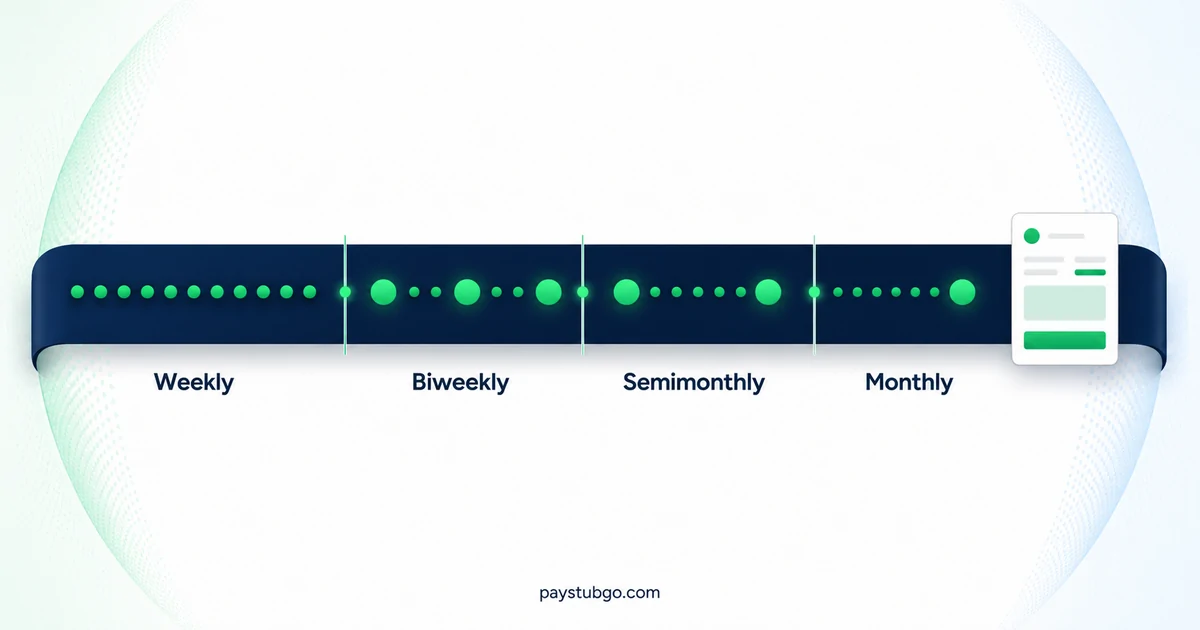
Table of Contents
What this guide covers
12 sectionsHide
Table of Contents
What this guide covers
Scroll inside this box to view all guide topics.
- The four pay schedules side by side
- Converting an hourly rate or salary to each schedule
- Weekly pay periods
- Biweekly pay periods
- Semimonthly pay periods
- Monthly pay periods
- Who sets pay frequency in the US
- Trade-offs for small employers choosing a schedule
- How pay frequency changes the rest of a paystub
- Why some biweekly schedules have 27 paydays in 2027
- Changing pay frequency partway through the year
- Matching pay period details on a stub you create
A pay period is the span of days one paycheck covers. Weekly pay gives 52 paychecks a year, biweekly (every two weeks) gives 26, semimonthly (twice a month) gives 24 and monthly gives 12. Weekly and biweekly periods keep a fixed length and drift across calendar dates; semimonthly and monthly periods follow the calendar and vary in length.
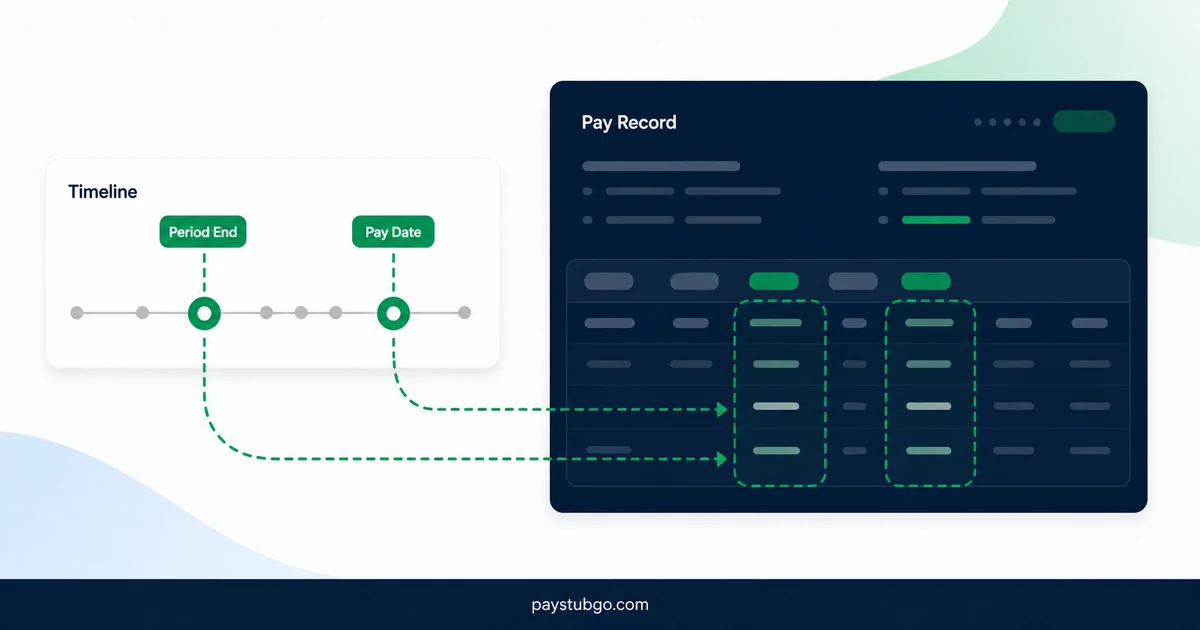
Those counts change almost everything else on a stub: the gross on each check, how deductions are split, and how quickly year-to-date totals build. The pay period is also different from the pay date, which is the day the money is actually paid, and our article on the pay date and period end covers how far apart those two can sit.
The four pay schedules side by side
The table compares the four schedules on the points that show up on a paystub. The last column is an illustrative figure for a $62,400 salary, which is the same as $30.00 an hour for 40 hours a week over 52 weeks.
| Schedule | Paychecks a year | Period length | Typical pay dates | Gross per check on $62,400 |
|---|---|---|---|---|
| Weekly | 52, sometimes 53 | 7 days | The same weekday every week | $1,200.00 |
| Biweekly | 26, sometimes 27 | 14 days | The same weekday every other week | $2,400.00 |
| Semimonthly | 24 | 13 to 16 days | Two fixed dates, such as the 15th and last day | $2,600.00 |
| Monthly | 12 | 28 to 31 days | One fixed date, such as the last day | $5,200.00 |
The gross per check is the salary divided by the number of paychecks: $62,400 ÷ 52 = $1,200, ÷ 26 = $2,400, ÷ 24 = $2,600 and ÷ 12 = $5,200. The annual pay is the same in every row; only the slices differ.
"Bimonthly" is best avoided on a stub. People use it for both twice a month and every two months, which is why payroll systems say semimonthly for twice-monthly pay and biweekly for every other week.
Converting an hourly rate or salary to each schedule
Offer letters, job ads and paystubs often quote pay in different units, and converting between them is where many per-check surprises start. A full-time year is usually counted as 2,080 hours, which is 40 hours × 52 weeks.
Illustrative example (made-up figures): an employee is offered $28.00 an hour for full-time work. The table converts that rate into an annual figure and into a check for each schedule.
| Unit | Formula | Result |
|---|---|---|
| Annual | $28.00 × 2,080 hours | $58,240.00 |
| Weekly check | $58,240.00 ÷ 52 | $1,120.00 |
| Biweekly check | $58,240.00 ÷ 26 | $2,240.00 |
| Semimonthly check, averaged | $58,240.00 ÷ 24 | $2,426.67 |
| Monthly check, averaged | $58,240.00 ÷ 12 | $4,853.33 |
The weekly and biweekly results are what an hourly employee actually receives for 40 and 80 hours. The semimonthly and monthly results are only averages. Dividing 2,080 hours by 24 gives about 86.67 hours per semimonthly period, and dividing by 12 gives about 173.33 hours per month, but hourly pay follows the hours in each specific period, so real checks land above and below those averages.
Working the other way, a salary divided by 2,080 gives its hourly equivalent. That figure is handy when a salaried check has to be reduced for a partial period, or when a salaried offer is compared with an hourly one.
Weekly pay periods
A weekly period covers seven days, usually ending on the same weekday each week, and pays on a set weekday a few days later. It is common for hourly work, because each period lines up with the workweek that overtime is measured against.
Under the federal Fair Labor Standards Act, covered employees must be paid at least one and a half times their regular rate for hours over 40 in a workweek. The Department of Labor's Fact Sheet #23 defines a workweek as a fixed, recurring period of 168 hours and says hours cannot be averaged over two or more weeks. On a weekly stub, the overtime line therefore reflects that single week.
A weekly schedule has 53 paydays in a year that contains 53 of its payday weekday. 2026 began and ends on a Thursday, so it has 53 Thursdays, and 2027 has 53 Fridays for the same reason. Holiday handling can move one of those checks into the neighboring year.
For budgeting, weekly pay usually brings four checks a month. Spreading 52 paydays across 12 months leaves 4 left over after four per month, so four months of a normal year bring a fifth paycheck, and a year with 53 paydays has five such months.
Biweekly pay periods
A biweekly period covers 14 days, and paychecks fall on the same weekday every other week. That produces 26 paydays in most years. A full-time hourly period is 80 hours, and a salaried check is the annual salary divided by 26.
Because two paychecks a month use only 24 of the 26 checks, two months each year get a third payday. Which months depends on the date of the first payday in January, and our comparison of biweekly versus semimonthly paystubs shows how to find them and what they do to monthly budgets.
A two-week period still contains two separate workweeks for overtime purposes, and that is where biweekly stubs are most often misread.
Illustrative example (made-up figures): an hourly employee earns $20.00 an hour and works 50 hours in the first week of a biweekly period and 30 hours in the second.
- Week one has 40 regular hours and 10 overtime hours; week two has 30 regular hours.
- Regular pay is (40 + 30) × $20.00 = 70 × $20.00 = $1,400.00.
- Overtime pay is 10 × ($20.00 × 1.5) = 10 × $30.00 = $300.00.
- Gross pay for the period is $1,400.00 + $300.00 = $1,700.00.
Treating the 80 hours as a single two-week block would show no overtime and a gross of 80 × $20.00 = $1,600.00, which is $100.00 less. A stub for this period should show 70 regular hours and 10 overtime hours, not 80 regular hours.
Semimonthly pay periods
A semimonthly schedule pays twice a month on fixed dates, most often the 15th and the last day, or the 1st and the 16th. That gives 24 paychecks a year, and each period runs 13 to 16 days depending on the month.
For salaried employees the fixed dates are convenient: a $62,400 salary becomes $2,600.00 on every check, and each month has exactly two. For hourly employees the uneven periods matter more, because the number of workdays changes from one half-month to the next.
Illustrative example (made-up figures): an hourly employee earns $30.00 an hour for 8-hour weekdays on a semimonthly schedule. November 1 to 15, 2026 contains 10 weekdays, so that period pays 10 × 8 × $30.00 = $2,400.00. November 16 to 30, 2026 contains 11 weekdays, so it pays 11 × 8 × $30.00 = $2,640.00. The rate did not change; the calendar did.
Two more semimonthly details show up on stubs:
- Weekend pay dates move. August 15, 2026 is a Saturday, so an employer paying on the 15th will often pay on Friday, August 14 instead. The period dates stay the same.
- Overtime ignores the period boundary. A workweek that starts on the 13th and ends on the 19th belongs to two semimonthly periods, but its overtime is still counted over that whole workweek.
Monthly pay periods
A monthly schedule pays once a month for the whole month, or for a period such as the 21st of one month to the 20th of the next. It produces 12 paychecks, with periods of 28 to 31 days.
Monthly pay is more common for salaried and executive roles than for hourly work. It makes each check large and each gap long, and a stub covering 31 days can include several workweeks of overtime if the employee is eligible for it. Some states restrict monthly pay for certain workers, which is covered in the next section.
Monthly stubs are also the simplest to audit for a missing payday. There are no third-paycheck months and no 27th payday to allow for, so a stub dated in November should carry exactly 11 checks in its YTD totals and the December stub exactly 12.
Who sets pay frequency in the US
Pay frequency is set mainly by state law and the employer's own policy, and the rules differ widely. The US Department of Labor publishes a State Payday Requirements table. It lists California as requiring most wages to be paid at least twice during each calendar month, and Connecticut as requiring weekly pay unless the labor commissioner approves longer intervals of up to a month.
Some states also set a default when no schedule has been announced. The same DOL table lists Montana as presuming a semimonthly pay period in that situation. Because the table carries its own last-updated date, check the labor department of the state where the work is done for the current rule; our state-by-state paystub pages are a starting point for state details. This section is general information and not legal advice.
Trade-offs for small employers choosing a schedule
For an employer, the schedule sets how often payroll has to be run and checked. Weekly pay means 52 payroll runs a year, biweekly 26, semimonthly 24 and monthly 12, and every run involves approving time, processing pay and delivering stubs.
- Hourly staff and overtime. Weekly and biweekly periods contain whole workweeks, so each week's overtime lands on a single stub. Semimonthly and monthly periods cut through workweeks, which makes overtime harder to trace.
- Salaried staff and monthly costs. Semimonthly and monthly pay make every month identical, which keeps budgets simple for employer and employee and avoids third-paycheck months.
- Cash flow. Biweekly payroll brings two months a year with three payroll runs, and those months need more cash on hand than the rest.
- State rules. As the section above shows, some states require certain employees to be paid more often than once a month, so a preferred schedule also has to be allowed where the employees work.
Many employers run two schedules side by side, for example biweekly for hourly staff and semimonthly for salaried staff. Our guide on what small business stubs should include covers the other details an employer's stubs need.
How pay frequency changes the rest of a paystub
Once you know the schedule, most of the other numbers on a stub make more sense. Frequency affects far more than the gross line.
- Deductions are split to match. A monthly health premium of $300.00 is typically taken as $150.00 per semimonthly check. Spread evenly across a year, it is $300.00 × 12 ÷ 26 = $138.46 per biweekly check and $300.00 × 12 ÷ 52 = $69.23 per weekly check, although some employers skip deductions on third paychecks instead.
- Withholding uses the period count. IRS Publication 15-T (2026) has employers enter the number of pay periods per year, such as 52, 26, 24 or 12, when figuring federal income tax withholding, so the tax line changes with the schedule even at the same salary.
- YTD grows at different speeds. By the end of June, a semimonthly employee has exactly 12 checks, while a biweekly employee has 12 or 13 depending on the schedule. Our guide to reading YTD on a paystub shows how those totals build.
- Hours per period change. A full-time hourly period is 40 hours weekly, 80 hours biweekly and a varying number on semimonthly or monthly pay.
- Period dates must not overlap. Each stub's start date should be the day after the previous stub's end date, with no gaps or repeated days.
Why some biweekly schedules have 27 paydays in 2027
2027 is not a leap year, so it has 365 days: 52 full weeks plus one extra day. It begins on Friday, January 1 and ends on Friday, December 31, which makes Friday the weekday that occurs 53 times.
A biweekly Friday schedule whose first payday is January 1, 2027 reaches its 27th payday exactly 26 × 14 = 364 days later, on December 31, 2027. The other biweekly Friday schedule starts on January 8, 2027, and its 26th payday falls on December 24, 2027, one day before the 27th would be needed. Schedules on any weekday other than Friday have 26 paydays in 2027.
There is a complication. January 1 is New Year's Day, and the Federal Reserve's holiday schedule lists it as a holiday in 2027. An employer that moves that payday to Thursday, December 31, 2026 puts the check into 2026, leaving 26 paydays in 2027 on that schedule. For New Year's Day 2028, which falls on a Saturday, the Federal Reserve says its banks are open the preceding Friday, so December 31, 2027 is an ordinary banking day.
The table shows how the two Friday schedules play out in 2027.
| Friday biweekly schedule | First 2027 payday | Last 2027 payday | Paydays in 2027 | Three-payday months |
|---|---|---|---|---|
| Starts Jan 1 | Fri, Jan 1 | Fri, Dec 31 | 27 | January, July, December |
| Starts Jan 1, holiday check paid Dec 31, 2026 | Fri, Jan 15 | Fri, Dec 31 | 26 | July, December |
| Starts Jan 8 | Fri, Jan 8 | Fri, Dec 24 | 26 | April, October |
For a salaried employee on 27 paydays, the employer either keeps the usual check, so a $62,400 salary pays 27 × $2,400.00 = $64,800.00 that year, or recalculates each check as $62,400 ÷ 27 = $2,311.11. Which approach applies is an employer decision, so the offer letter, handbook or payroll team is the place to confirm it.
Weekly Friday payers see the same effect, with 53 paydays in 2027 unless the January 1 check is moved into 2026.
Changing pay frequency partway through the year
Employers sometimes switch schedules, for example from biweekly to semimonthly, and the first stubs after the change are worth reading closely.
- The first period on the new schedule may be shorter or longer than usual, so its gross can look odd even though the salary has not changed.
- YTD totals should continue from the old schedule rather than restart, because the employer is the same.
- Deductions that were split 26 ways are usually re-split 24 ways, so each amount changes.
- The number of paychecks left in the year changes, which affects any per-check estimate you made in January.
Checking the last stub on the old schedule against the first stub on the new one, line by line, catches most transition problems.
Matching pay period details on a stub you create
A paystub-style record needs the pay frequency, the period start and end dates, and the pay date to agree with one another and with the previous record. A biweekly record that covers 15 days, or a semimonthly record whose period starts on the 17th, is a sign that something was entered wrongly.
PayStubGo lets you choose a template, enter your own figures, preview the stub and download a PDF, and the first stub each year is free. Its form has separate fields for pay frequency, period start, period end and pay date, so each of those four details can be checked in the preview. It formats what you supply and does not run payroll or confirm pay frequency rules. If you want to see a record laid out before committing to anything, you can start with a free first stub, and our list for preparing to create a paystub covers the dates and amounts to gather first.
PayStubGo
Create a paystub from your own details
Preview your paystub, review the layout, and download a clean PDF when the information looks right.