Paystub Basics
Pay Date vs Pay Period End Date
Most stubs carry three dates. Here is what the period end and pay date each mark, why payday lags behind the period, and how to check the dates.
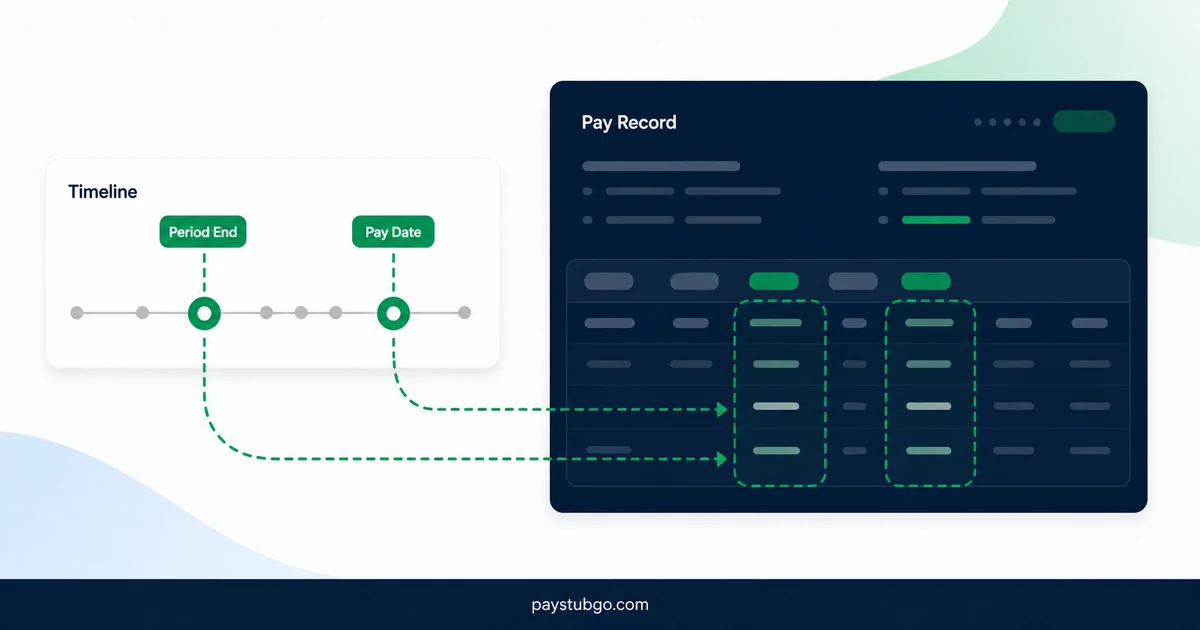
Table of Contents
What this guide covers
7 sectionsHide
Table of Contents
What this guide covers
Scroll inside this box to view all guide topics.
The pay period end date is the last day of work a paycheck covers. The pay date is the day the money is actually paid. They are usually several days apart because payroll needs time to collect hours and process the run, and the pay date, not the period end date, generally decides which year's YTD totals a payment joins.
Mixing the two up causes most date questions about paystubs: why a check seems late, why a December paycheck counts in January, and why a stub's dates look out of order. Our overview of weekly, biweekly and semimonthly pay periods covers how long each period runs; this article is about the gap between the end of a period and payday.
The dates printed on most paystubs
A typical stub carries three dates, and some add a fourth. The table sets out what each one marks and the labels you are likely to see.
| Date | What it marks | Other labels you may see | Compare it with |
|---|---|---|---|
| Period start | The first day of work the check covers | Period beginning, From | The day after the previous stub's period end |
| Period end | The last day of work the check covers | Period ending, Through, To | Your timesheet or schedule |
| Pay date | The day the payment is made | Check date, Payment date | The date the deposit reached your account |
| Advice or issue date | The day the stub itself was produced | Statement date | Usually the pay date or a day or two before |
The period start and end dates describe work. The pay date describes money. On a stub where those dates are clearly labeled, you can tell at a glance both what was paid for and when it was paid.
Why payday comes days after the period ends
Payroll cannot pay for hours before they have been worked and approved. Between the period end date and the pay date, several things usually happen.
- Timesheets are submitted and approved by a manager.
- Overtime, shift premiums, commissions and any corrections are entered.
- The payroll run is processed, including taxes and deductions.
- Direct deposit files are sent to the bank early enough for the money to arrive on the pay date.
For hourly workers that gap is usually a few days to a week or two. It tends to stay the same every period, so once you know your employer's pattern, such as "the period ends on Saturday and we are paid the following Friday", you can predict every pay date from the period dates.
Salaried employees on a semimonthly or monthly schedule are sometimes paid on the last day of the period, or even before it ends. Their pay is known in advance, so an absence late in the period is often adjusted on the next check instead.
How long an employer may wait after a period closes is governed by state law and the employer's own pay policy in the US, and the rules are not the same everywhere. The labor department of the state where you work is the place to check the rule that applies.
How far apart the dates sit on common schedules
The gap between period end and pay date depends mostly on whether the schedule pays in arrears or pays current. The table uses sample late-2026 dates to show typical patterns.
| Schedule and timing | Period | Pay date | Days after period end |
|---|---|---|---|
| Weekly, paid in arrears | Sun, Dec 6 to Sat, Dec 12, 2026 | Wed, Dec 16, 2026 | 4 |
| Semimonthly, paid in arrears | Mon, Nov 16 to Mon, Nov 30, 2026 | Mon, Dec 7, 2026 | 7 |
| Semimonthly, paid current | Tue, Dec 1 to Tue, Dec 15, 2026 | Tue, Dec 15, 2026 | 0 |
| Monthly, paid current | Sun, Nov 1 to Mon, Nov 30, 2026 | Mon, Nov 30, 2026 | 0 |
A gap of zero is normal for salaried pay on the current basis. For hourly pay a gap of zero is unusual, because hours on the last day of the period would have to be estimated and corrected on a later stub.
One biweekly period, from last shift to deposit
A single period shows how the two dates relate on a real schedule.
Illustrative example (made-up figures): an hourly employee earns $25.00 an hour on a biweekly schedule. The period runs from Sunday, November 29, 2026 to Saturday, December 12, 2026, and the employee works 80 hours in it.
- The period end date is Saturday, December 12, 2026, the last day the check pays for.
- The pay date is Friday, December 18, 2026, six days later.
- Gross pay for the period is 80 × $25.00 = $2,000.00.
- That $2,000.00 is added to the 2026 YTD totals on December 18, the pay date, not on December 12.
Now move the same pattern to the end of the year. The following period ends on Saturday, December 26, 2026, and six days later is Friday, January 1, 2027. Because that pay date falls in 2027, the $2,000.00 for December work would count toward 2027 totals, unless the employer pays early on December 31, 2026 because of the New Year's Day holiday.
The work dates are identical in both versions. Only the pay date decides where the money lands.
Which date decides the tax year
For year-to-date totals and year-end reporting, the pay date is the one that generally counts. IRS instructions for the 2026 Form W-2 describe it as covering payments an employer made for an employee's services during 2026, so wages earned in December but paid in January usually appear on the following year's W-2.
That is why the final paystub of a year may not include your last December shifts, and why the first January stub can include work from before the new year. Our guide to year-to-date totals explains how those running totals reset. The explanation here is general and not tax advice; your employer's payroll team can confirm how a particular payment was dated.
How to check the dates on a stub
A few quick comparisons catch almost every date error on a paystub, whether it came from an employer or from a record you made yourself.
- Confirm that the period start date is exactly one day after the previous stub's period end date, with no gap and no overlap.
- Count the days between period start and period end and compare them with the pay frequency: 7 for weekly, 14 for biweekly, 13 to 16 for semimonthly.
- Check that the gap between period end and pay date matches your employer's usual pattern.
- If the pay date moved, look for a weekend or holiday that explains it.
- Make sure the year of the pay date matches the year of the YTD totals on the stub.
Swapped or mistyped dates are among the pay stub mistakes to check before downloading, along with other details worth a second look.
Getting the dates right on a record you create
Dates are the part of a paystub-style record most often filled in carelessly, because the amounts get the attention. A stub whose pay date comes before its period start, or whose period end repeats the last stub's, is hard for anyone to follow later.
PayStubGo's form has separate fields for period start, period end and pay date, next to the pay frequency, and you see all of them in the preview before downloading the PDF. It lays out the dates you enter and does not check them against a payroll calendar. Our list of details every pay stub needs covers the rest of the fields, and our paystub templates show how different layouts label each date.
PayStubGo
Create a paystub from your own details
Preview your paystub, review the layout, and download a clean PDF when the information looks right.


