Paystub Basics
Free Pay Stub Generator Limits: What Is and Is Not Free
What a free pay stub offer usually covers, how PayStubGo's preview-to-PDF flow works, what happens after the first stub of the year, and the figures to gather first.
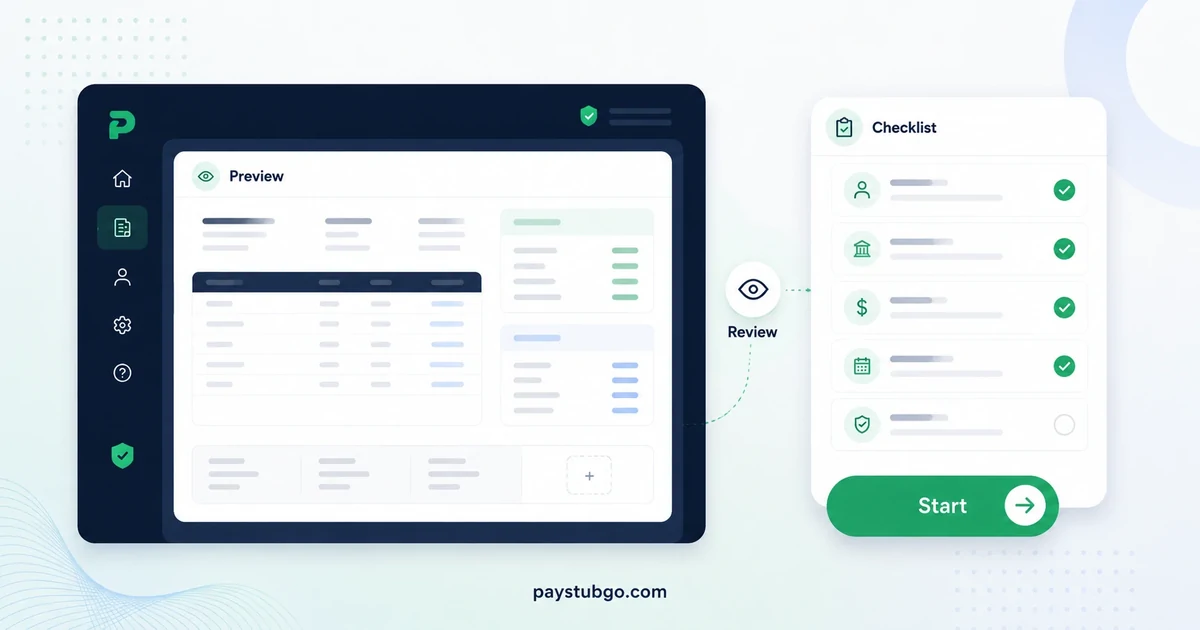
Table of Contents
What this guide covers
9 sectionsHide
Table of Contents
What this guide covers
Scroll inside this box to view all guide topics.
- What "free" can mean across paystub tools
- How the preview-to-PDF flow works on PayStubGo
- What happens after the first free stub
- One free stub or a set of periods?
- Warning signs in any free offer
- Figures to gather before you open any free tool
- A free template is not a free generator
- Mistakes that come from treating free as low stakes
- Keeping the free stub useful later
Before using a free pay stub generator, find out exactly what the free part covers: whether you can preview the finished stub, which templates are included, how the PDF is delivered and what happens when you need a second stub. Then gather accurate figures first, because a free tool formats your records; it does not supply them.
The points below apply to any tool, with PayStubGo's own answers where they help. For the offer itself, PayStubGo's free paystub generator page sets out what the first stub includes.
What "free" can mean across paystub tools
Free paystub offers vary more than their headlines suggest. Some tools let you build a stub for free but charge to download it, some limit which layouts the free stub can use, and some make the offer a one-time trial. Knowing which kind you are dealing with before you type saves wasted effort. A wider set of questions to ask any generator covers the rest of the evaluation.
The table lists what to confirm and how PayStubGo handles each point.
| What to confirm | Why it matters | PayStubGo |
|---|---|---|
| Can you preview the whole stub first? | Errors are cheapest to fix before a file exists | Yes, the finished stub previews before anything is sent |
| Which templates can the free stub use? | Some tools keep layouts back for paid stubs | Any of the six live templates |
| How does the PDF arrive? | Delivery affects when and where you receive the file | The free stub is delivered as a PDF by email |
| Does the offer renew? | A one-time trial differs from a yearly allowance | The first paystub each year is free |
| What do later stubs cost? | You should see the price before committing | Listed on the pricing page before checkout |
| Are multi-period options available? | Several consecutive stubs are common | A 3-stub pack and a 6-stub pack |
How the preview-to-PDF flow works on PayStubGo
PayStubGo's free-first flow follows four steps, and the preview sits deliberately before delivery.
- Choose a template. Pick any of the six layouts; you can switch later in the preview without retyping.
- Enter the details. Company, employee, pay period, pay date, earnings, deductions and any YTD values.
- Review the preview. Read the finished stub line by line and fix anything that is off.
- Receive the PDF. For the first stub of the year, add your email and the PDF is sent there.
The free stub arrives by email because emailing it is how we keep the free offer sustainable. Keep an eye on the inbox you entered, and check a spam or promotions folder if the message is not in the main one.
Illustrative example (made-up figures): Before sending a first free stub, a part-time worker checks the preview against a bank deposit.
- Earnings: 34 hours × $16.50 = $561.00
- Total deductions shown (amounts assumed): $68.42
- Net pay on the preview: $561.00 − $68.42 = $492.58
- Bank deposit for that pay date: $492.58
The figures match, so the stub is ready to send. Had the deposit read $502.58, the $10.00 gap would point to a deduction entered wrongly, and the preview is the moment to find it.
Checking the emailed copy
When the email arrives, open the attached PDF rather than trusting the preview from memory. Confirm the pay period, gross pay and net pay match what you checked in the preview, then save the file somewhere other than your inbox, such as a folder named for the year. An email account is a poor long-term filing cabinet: messages get archived, deleted or buried, and the stub is only useful if you can find it when you need it.
What happens after the first free stub
The first paystub each year is free. A second stub in the same calendar year is a paid stub, and the current prices are on the current pricing page, shown before checkout. When a new year begins, the first stub of that year is free again.
Illustrative example (made-up figures): A self-employed designer needs one stub in March 2026, one in November 2026 and one in January 2027.
- March 2026: the first stub of 2026, so it is free
- November 2026: the second stub of 2026, so it is paid
- January 2027: the first stub of 2027, so it is free
- Stubs needed: 3, of which free: 2, and paid: 3 − 2 = 1
Two details matter for anyone needing several periods at once. The 3-stub pack and 6-stub pack produce consecutive pay periods from the same details, and the deposit slip page is an extra on one or two stubs but included from three stubs upward.
One free stub or a set of periods?
The free offer covers one stub, so think about how many periods you actually need before starting. Someone documenting a single payment can stop there. Someone who needs several consecutive periods for the same person should look at the packs before entering the first period on its own, because the 3-stub pack and 6-stub pack build the whole run from one set of details.
A quick count helps. Biweekly pay produces about two stubs a month, so two months usually means four stubs and occasionally five; semimonthly pay produces exactly two a month. If the count reaches three or more, a pack keeps the dates, template and YTD steps consistent across the set, and the deposit slip page comes included at that size.
Warning signs in any free offer
Most free offers are straightforward, but a few patterns are worth spotting before you invest time in typing:
- The cost appears only at the end. If the price of the download is not visible until after you have entered everything, the free part may be the form rather than the file.
- A card is required for the free item. A request for payment details before anything is charged deserves a close read of the renewal terms.
- The free file is visibly marked. Some tools stamp free output in ways that make it unsuitable for keeping.
- The layouts shrink at checkout. A template you chose may turn out to be reserved for paid stubs.
None of these is automatically a problem, but each should be clear before you start rather than a surprise after.
Figures to gather before you open any free tool
A free tool invites people to start typing and fill gaps as they go. Resist that. Have these in front of you first:
- Business name and address, and the worker's name and address
- Pay frequency, period start and end dates, and the pay date from the bank record
- Hourly rate and hours, or the salary for the period
- Each deduction, with its label and amount from a previous stub or statement
- Year-to-date totals from the most recent stub, if this is not the first of the year
If a figure is missing, stop and find it. A polished PDF built on a guessed number is worth less than no PDF at all, whatever it cost.
A free template is not a free generator
Searches for a free paystub often turn up blank template files as well as online generators, and the two are not interchangeable. A template is a layout you fill in and total by hand; a generator asks for the figures and builds the stub from them, usually with a preview. The trade-offs are compared in detail under free templates versus generators.
The short version: a free template costs nothing but shifts every calculation and alignment problem onto you, while a free generator shifts the responsibility onto your inputs. For most real records, the second risk is easier to manage.
Mistakes that come from treating free as low stakes
People make more errors with free tools, not because the tools are worse but because the stakes feel lower. The common ones:
- Guessing a deduction because the exact amount is in a document not yet opened
- Picking the pay period that looks tidy rather than the one in the records
- Copying the current period into the YTD fields
- Skipping the preview because nothing has been paid
- Choosing a layout for its looks rather than its readability
- Adding personal details the record does not need
A free stub carries the same figures as any other, so it deserves the same review. The fuller list of errors to catch in the preview is worth running through before you send it to your inbox.
Keeping the free stub useful later
A stub is most valuable when you can still explain it months later. Save the timesheet, invoice or statement you used alongside the PDF, and name the file with the worker's name and pay date so it can be found without opening every document. When the next period comes, start again from that period's records instead of editing the old stub, since dates, hours, deductions and YTD values all move.
How long to hold on to those copies depends on why you keep them, and how long to keep copies covers the usual retention reasons.
Free or paid, a stub shows only the figures you typed. PayStubGo does not run payroll, verify income or give tax advice, so take withholding questions to the payroll provider or a tax professional.
PayStubGo
Create a paystub from your own details
Preview your paystub, review the layout, and download a clean PDF when the information looks right.


